Getting started
- Download Pitara and run the installer, or unzip the portable version anywhere (a USB drive works too).
- Pick your photo folders. On first run Pitara asks where your photos live. Add as many folders or drives as you like, and any folders to skip. You can change them later in File > Photo Folders.
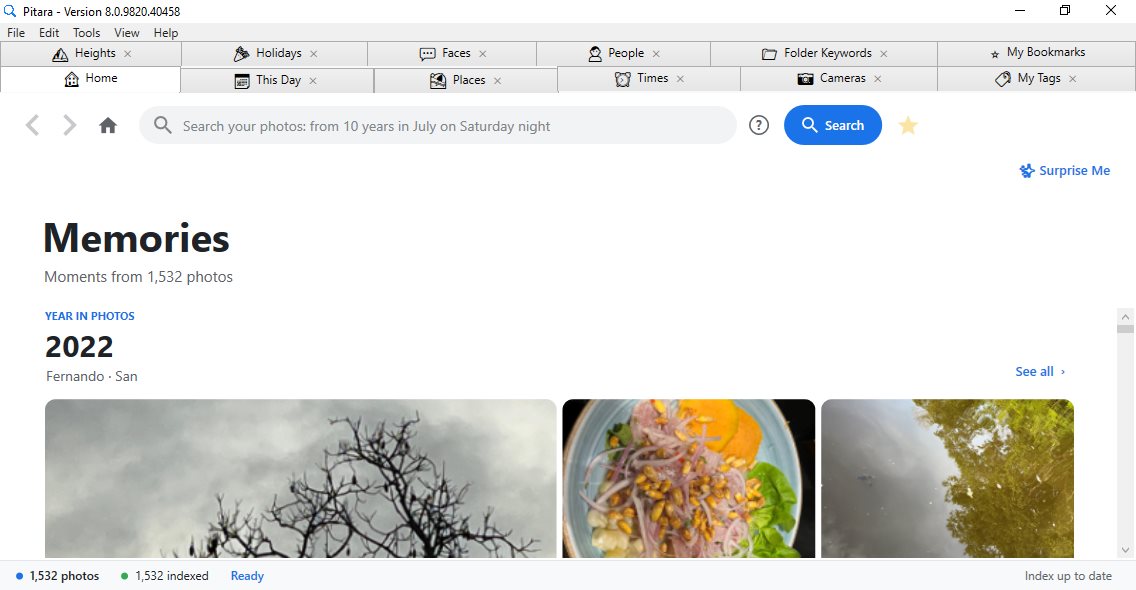
- Let it index. Pitara reads every photo once in the background and shows its progress at the bottom of the window. You can search right away; results grow as it goes.
- Search. Type what you remember and press Enter. Not sure what to type? The ? button next to the search box shows sample searches built from your own places, years and cameras.
Next time you open Pitara, only new or changed photos are read, and your Memories show on Home straight away.
Searching
Sub-0.5 second natural language search
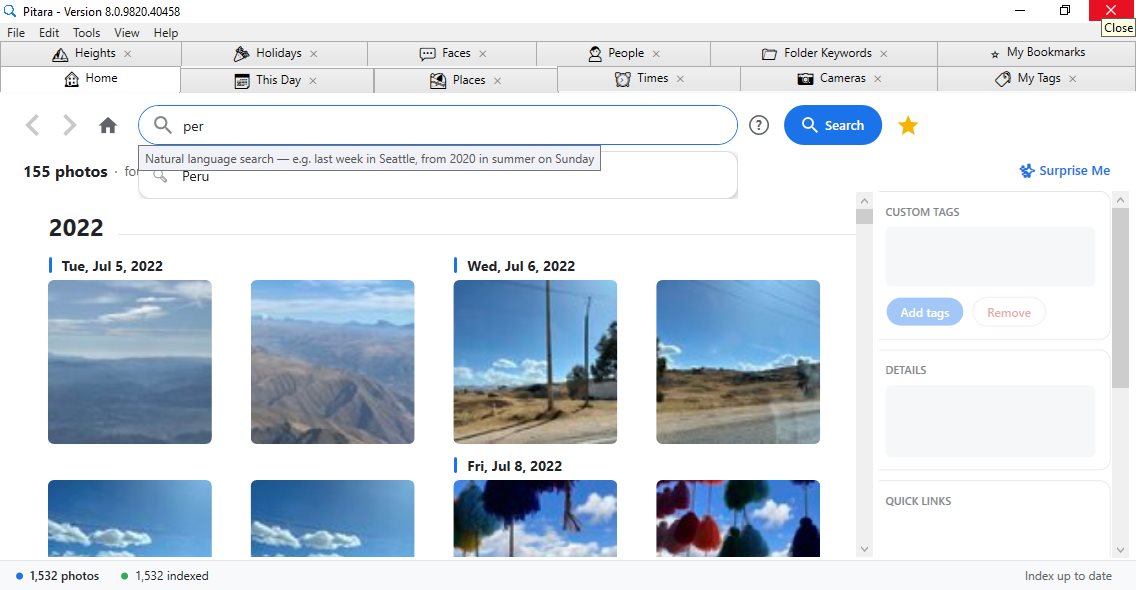
Type what you remember (a place, a feeling, a season) and results appear in under half a second. No file names, no folder paths, no search operators. Just plain English.
- Scales across terabytes of photos without breaking a sweat
- Runs on any Windows 10/11 PC, including older machines without a discrete GPU
- Autocomplete suggests locations, camera models, custom tags, festivals, time expressions, and the ISO values, apertures, focal lengths and shutter speeds you actually shoot with
- Forgiving: small typos, singular or plural, and stray characters still find your photos
- "Surprise Me" shows a random mix of up to 200 photos from your collection, great for rediscovering forgotten memories
- Back and Forward buttons let you navigate through your search history, just like a browser
- Results load 200 at a time for instant display; scroll down to load the next 200, with smooth, predictable loading whether you use the scrollbar, mouse wheel, or touchpad
- "Try a sample search" shows real example searches built from your own places, years and cameras. Every sample is checked first, so clicking one always finds photos
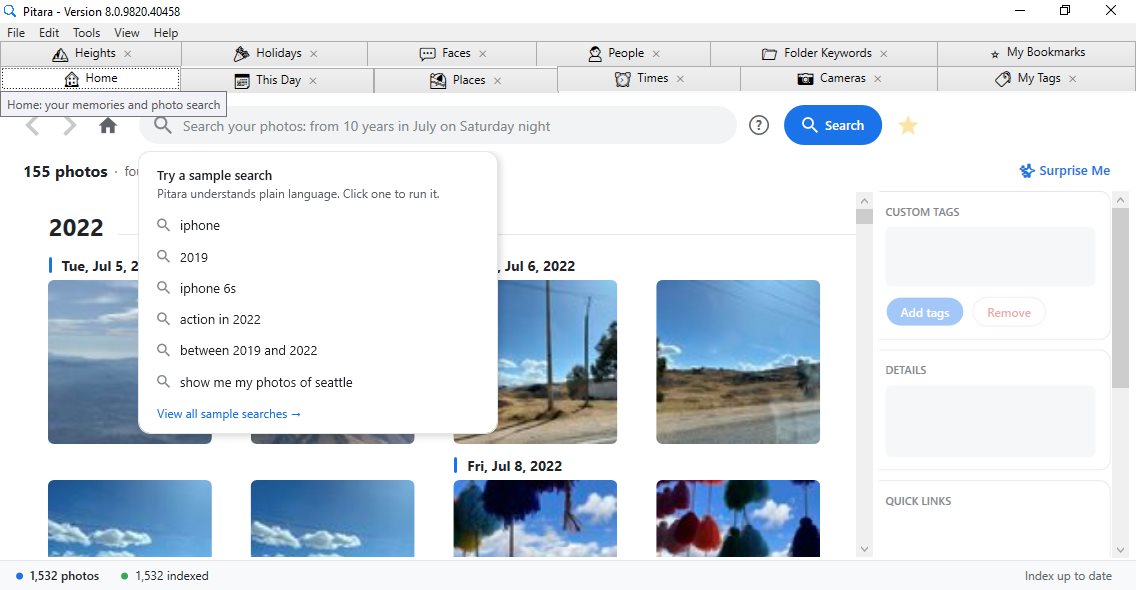
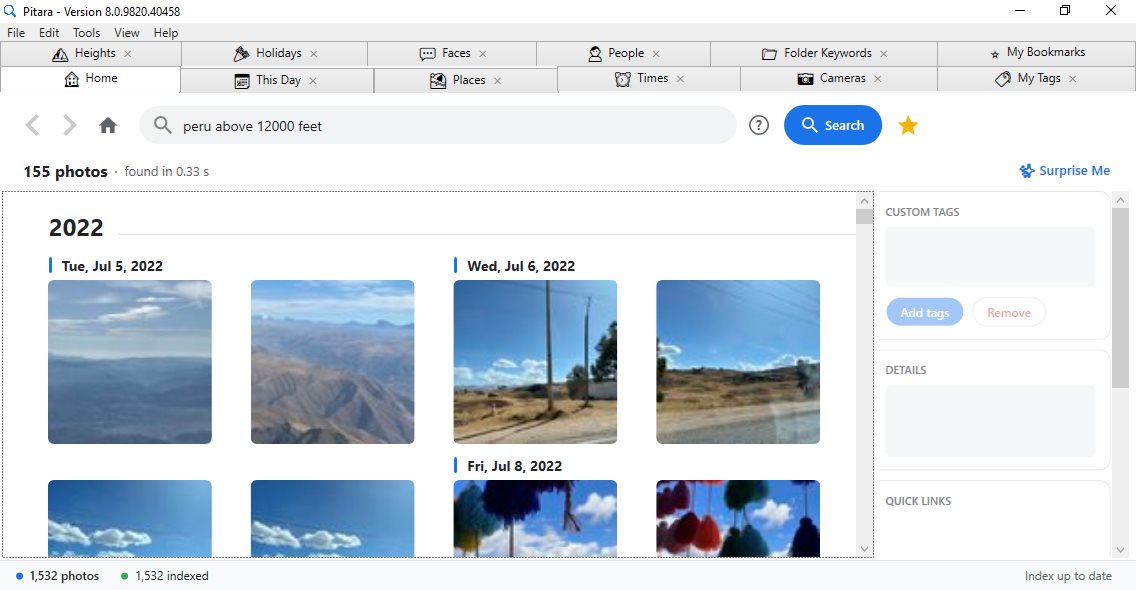
Every kind of search Pitara understands, with examples that work as written. Searches are not case sensitive, extra spaces and punctuation are ignored, and words like "photos", "show me", "in", "on", "at", "the", "with" and "from" can be left in or out.
How a search works
- Type words you remember. Every word must match, so each extra word narrows the results:
canon 2022finds Canon photos from 2022. - Words match places, dates, cameras, settings, people, your tags, folder names and festivals at the same time. There is nothing to choose first.
- If nothing has every word, Pitara shows photos that match most of them and says so in an amber warning above the results, so they are never mistaken for exact matches.
- Small typos and plurals are forgiven:
iphones,mornings,saturdaysandweekendswork like the singular. - Number words become numbers:
from three yearsis the same asfrom 3 years.
Places
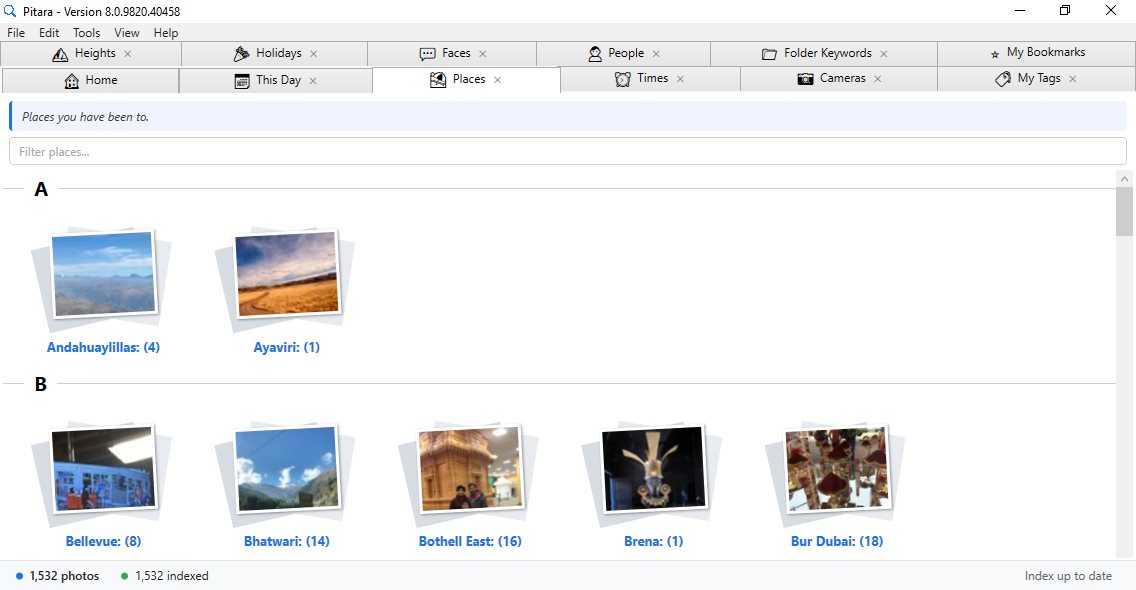
Place names come from the GPS position in each photo: neighborhood, city, state or region, and country. Each photo keeps its place in the index, so a spot is named once and never looked up again.
| Search | Finds |
|---|---|
paris | Every photo taken in Paris |
sammamish | Every photo taken in Sammamish |
japan | Every photo taken anywhere in Japan |
barcelona weekend | Weekend photos from Barcelona |
bellevue summer | Summer photos from Bellevue |
sammamish morning | Morning photos from Sammamish |
Years, months, seasons, days and times of day
| Search | Finds |
|---|---|
2022 | Photos taken in 2022 |
june | Photos taken in June, any year |
june 2022 | Photos from June 2022 |
spring, summer, fall, winter | Photos from that season, any year |
summer 2018 | Summer 2018 |
saturday | Photos taken on a Saturday |
weekend, weekday | Saturday and Sunday, or Monday to Friday |
morning | 6 am to noon |
noon | The noon hour |
afternoon | Noon to 5 pm |
evening | 5 pm to 8 pm |
night | 8 pm to 6 am |
saturday night | Saturday nights |
sunday evenings | Sunday evenings |
12th february | February 12th, any year |
FirstWeek september | Days 1 to 7 of September (also SecondWeek to FifthWeek) |
3pm | Photos taken in the 3 pm hour |
Recent dates
| Search | Finds |
|---|---|
this week | Monday of this week to today |
last week | The 7 days of last week |
last 2 weeks | The last 2 weeks |
this month, last month | This month or last month (of the right year) |
last 3 months | The last 3 months, year by year, so not the same months 5 years ago |
this year, last year | This year or last year |
last 2 years | This year and last year |
from 5 years | Each of the last 5 years |
from 4 months | Each of the last 4 months |
Ranges: always "X to Y"
Every range is written the same way, X to Y, with both ends included: years, months, days of the week, seasons, dates, heights and camera settings. A dash works too (2018-2021, 24-70mm). Photos without a date are left out of date ranges.
| Search | Finds |
|---|---|
before 2016 | Photos taken before 2016 (not 2016 itself) |
until 2015, up to 2015, 2015 or earlier | Photos up to the end of 2015 |
after 2021 | Photos taken after 2021 (not 2021 itself) |
since 2022, 2022 onwards, 2022 or later | Photos from 2022 on |
after june 2021 | Photos after June 2021 |
before june 2021, prior to 2010 | Photos before that month or year |
2018 to 2021, 2018-2021 | 2018 through 2021 |
march 2020 to june 2021 | March 2020 through June 2021 |
june to august | June, July and August, any year |
november to february | November to February, across the new year |
sunday to wednesday | Sunday, Monday, Tuesday and Wednesday |
friday to sunday | Friday, Saturday and Sunday |
summer to fall | Summer and fall, any year |
march 16th to march 22nd | That week of March, any year |
5000 to 10000 feet | Taken between 5,000 and 10,000 ft |
iso 800 to 3200, f/2 to f/4, 24-70mm, 1/500 to 1/100 | Camera settings in that range (see below) |
Holidays and festivals
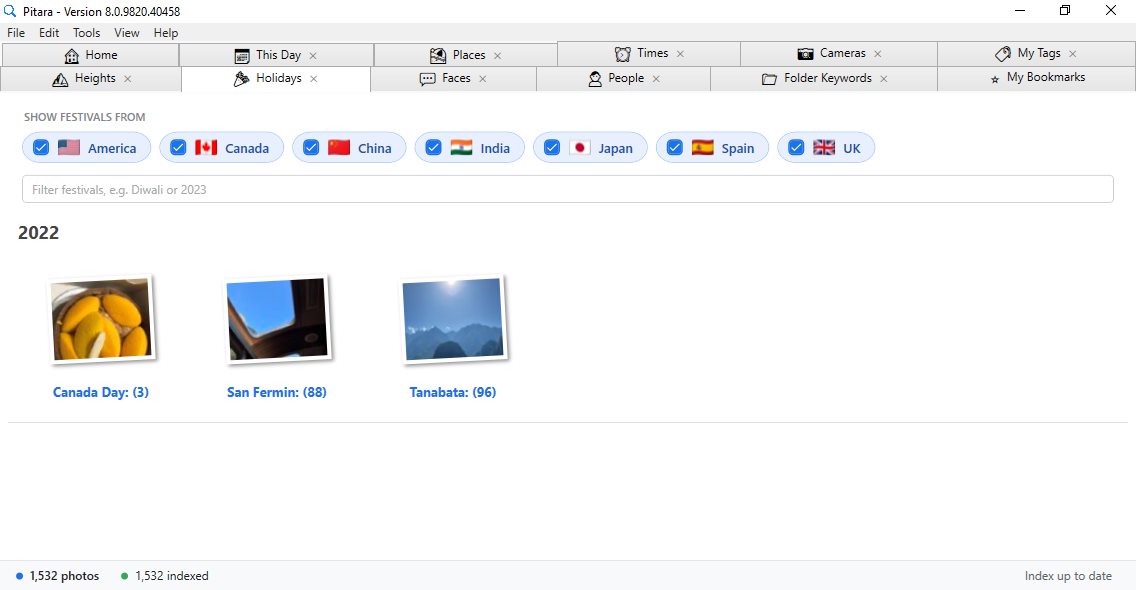
Pick your countries in the Holidays tab (US, India, China, Canada, Japan, Spain and UK). Their festival names are then suggested as you type, and a search finds the photos taken on that festival's date in every year, plus photos you tagged with its name. Add a year and only that year's festival is found: diwali 2018 never shows Diwali 2013.
| Search | Finds |
|---|---|
thanksgiving | Every Thanksgiving in your library |
father's day 2019 | Father's Day 2019 |
diwali 2018 | Diwali 2018 |
diwali canon | Diwali photos taken with a Canon |
Cameras and phones
The whole camera name is searchable, and so is each word of it.
| Search | Finds |
|---|---|
iphone | Photos from any iPhone |
iphone 13, iphone 13 pro | That iPhone model |
apple | Photos from any Apple device |
canon, nikon, sony, dji | Photos from that maker |
eos r5, canon eos r5, r5 | The Canon EOS R5 |
nikon d850, d850 | The Nikon D850 |
canon in japan | Canon photos taken in Japan |
Camera settings
Write settings the way photographers do. The unit says what a number means, so a plain number like 50 or 2023 is never mistaken for a setting.
| Setting | Examples |
|---|---|
| ISO | iso 3200 · iso3200 · iso above 1600 · iso below 200 · iso 800 to 3200 · iso 1600+ |
| Aperture | f/1.8 · f1.8 · f/8 · f/2.8 or wider · wider than f/4 · f/2 to f/4 · aperture 2.8 |
| Focal length | 50mm · 400mm · 24-70mm · above 200mm · 200mm or more · focal length 35mm |
| Shutter speed | 1/250 · 1/2000 · 0.5s · 30 sec · faster than 1/1000 · slower than 1 sec · 1/500 to 1/100 |
Comparisons work the same way for every setting: above, over, more than, at least, below, under, less than, at most, up to, X or more, X or less, X+, and ranges as X to Y and X-Y.
Everyday photo words
| Search | Finds |
|---|---|
telephoto, zoomed in | Focal length 70 mm or longer |
wide angle | 24 mm or wider (35 mm equivalent) |
ultra wide | 16 mm or wider (35 mm equivalent) |
long exposure | Shutter open 1 second or longer |
fast shutter, action, fast motion | Shutter of 1/1000 s or faster |
high iso, low light | ISO 1600 or higher |
low iso | ISO 200 or lower |
selfie | Taken with a phone's front camera |
drone | Taken with a drone (DJI, Autel, Skydio) |
"shots", "photos" or "pictures" after the word is fine: action shots, drone photos.
Height above sea level
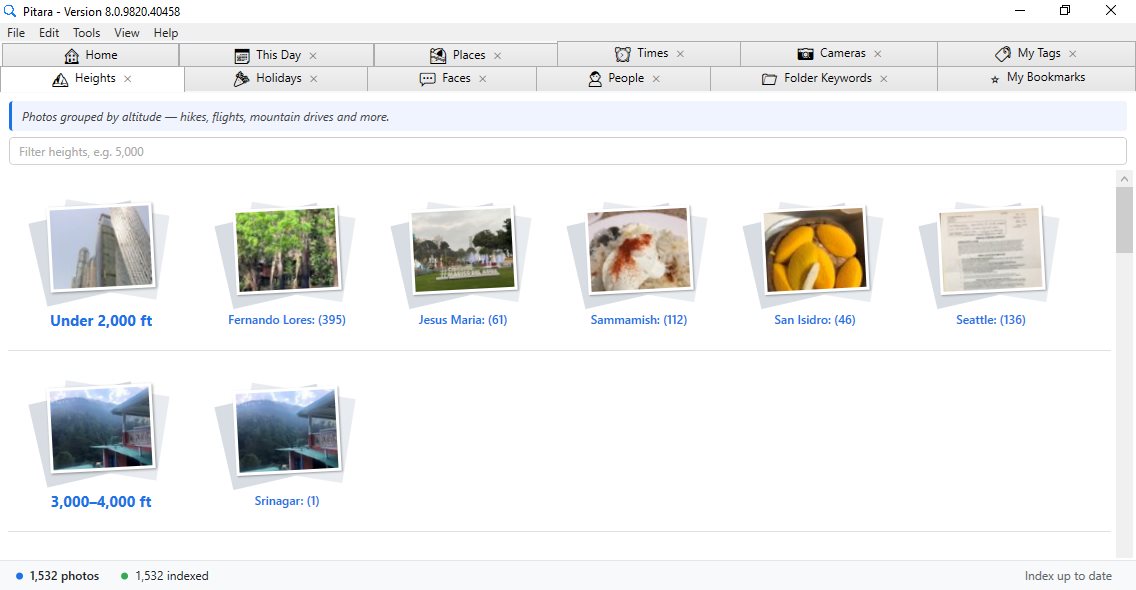
From the GPS altitude in each photo, in feet or meters.
| Search | Finds |
|---|---|
above 5000 feet | Taken above 5,000 ft |
below 500 feet, below 500 ft | Taken below 500 ft |
5000 to 10000 feet, 1000 to 3000 feet | Within that band |
above 2000 m, 1500 m | Meters work the same way |
5k ft+ | 5,000 ft and higher |
People
Name a face group on the Faces tab once, then search that name.
| Search | Finds |
|---|---|
mom | Every photo of the person you named "Mom" |
meera rohan | Photos with both Meera and Rohan |
mom 2019 | Mom in 2019 |
Your tags, favorites, folders and bookmarks
| Search | Finds |
|---|---|
goa trip | Photos you tagged "goa" and "trip" (Edit > Add Tags, on photos of any type) |
favorites | Every photo you starred |
favorites 2023 | Starred photos from 2023 |
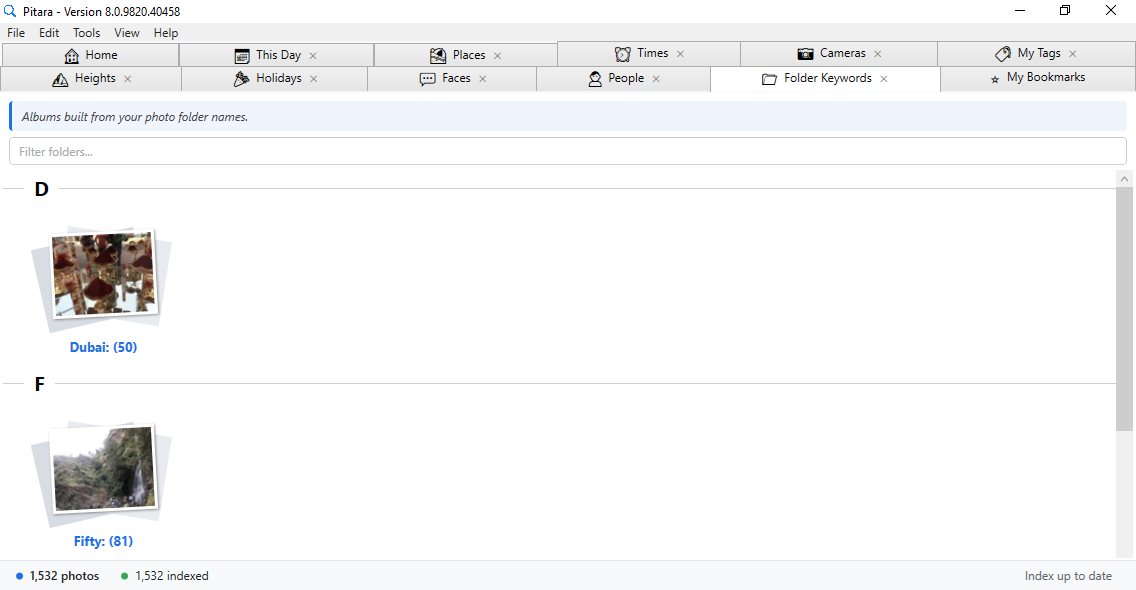
vacation | Photos in a folder named "Vacation" (words from folder names are searchable) |
Save any search as a bookmark with the star next to the search box; it appears in My Bookmarks, where one click runs it again.
Putting it together
Any of the above can be combined in one search, in plain words.
| Search | Finds |
|---|---|
paris summer 2022 iphone | Place, season, year and camera |
weekend in peru above 12000 feet | Weekend photos in Peru taken high up |
seattle iso above 1600 before 2020 | Low-light Seattle photos from before 2020 |
canon photos on saturday night in december 2022 | A camera, a day, a time of day and a month |
show me selfies from june 2022 | Selfies from June 2022 |
drone photos on friday morning in spring 2023 | Drone photos on spring 2023 Friday mornings |
summer mornings in 2018 | Summer mornings in 2018 |
photos taken with sony at night | Night photos from a Sony |
nikon telephoto | Nikon photos at 70 mm or longer |
canon 2018 to 2022 | Canon photos from 2018 through 2022 |
wide angle at night | Wide angle photos taken at night |
night after 2020 | Night photos after 2020 |
FirstWeek september weekday morning from 30 years | School mornings in the first week of September, 30 years back |
from 25 years 12th february evening | 25 years of February 12th evenings |
Either one: "or" in brackets
Put the choices in brackets, and the rest of the search still applies to all of them.
| Search | Finds |
|---|---|
seattle (canon or nikon) | Seattle photos taken with a Canon or a Nikon |
(june or august) 2022 | June 2022 and August 2022 |
night (saturday or friday) | Friday and Saturday nights |
redmond evening (monday or wednesday) from 10 years | Monday and Wednesday evenings in Redmond, 10 years back |
Without brackets, "or" next to other words makes every word optional: seattle canon or nikon finds photos with any one of the three words. On its own, canon or nikon works either way.
Tabs
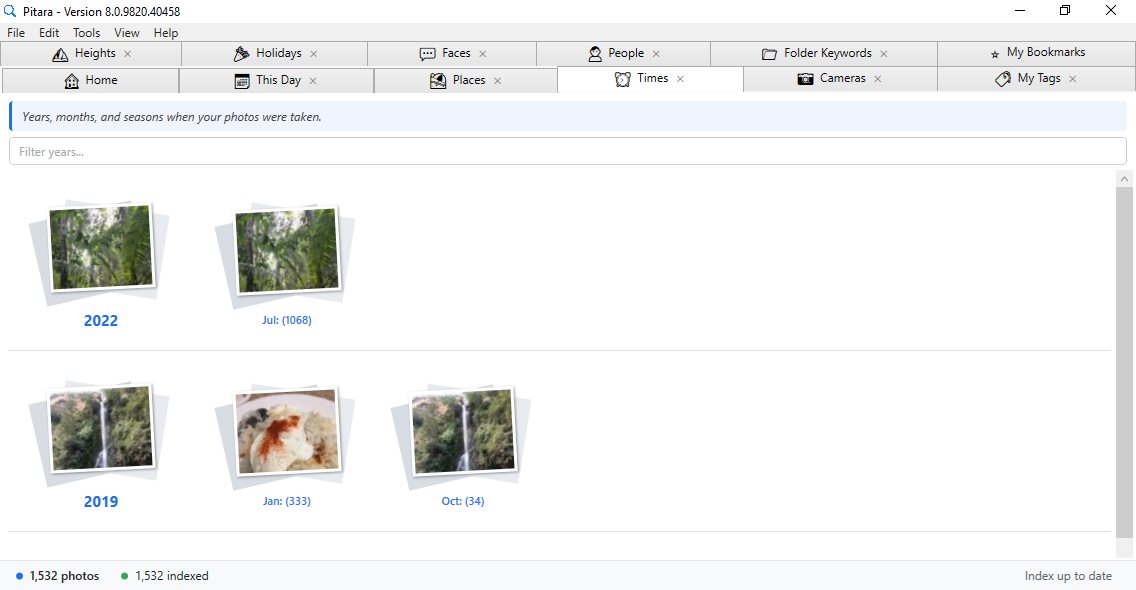
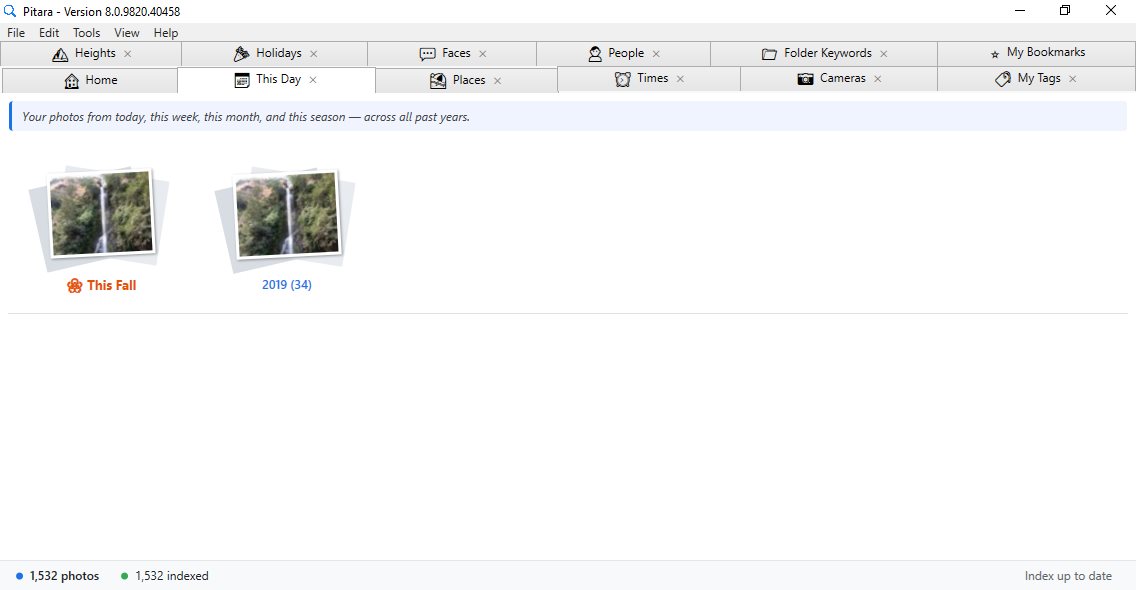
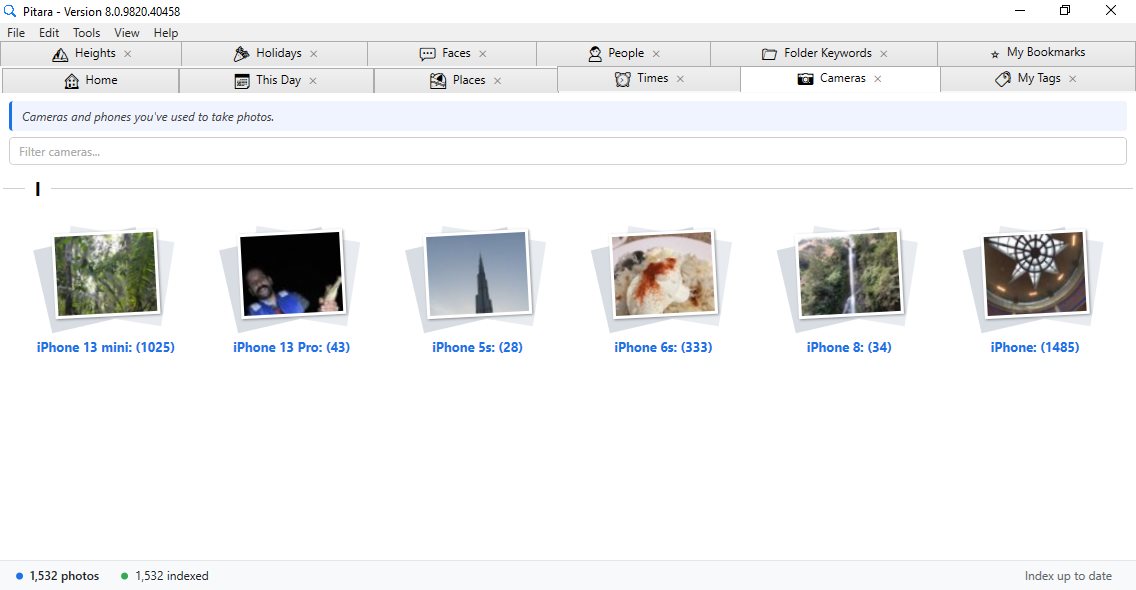
Every catalog tab shows polaroid-style album cards with real preview photos from your library. Click any card to search those photos instantly. Every tab except My Bookmarks can be closed and reopened from the View menu (Show Tabs), or all closed at once with Close All Tabs. Closed tabs stay hidden across restarts, and a live filter box on every tab narrows results in real-time as you type.
| Tab | What it shows |
|---|---|
| Home | Your search results, plus Memories cards (this day in past years, each year in photos, your places, photos taken up high), DISCOVER suggestions built from your library, and quick links |
| This Day | Your photos on today's date, this week, this month, and this season, across every past year back to 2000 |
| Places | Every location you've photographed, grouped geographically |
| Times | Photos organized by year, month, time of day, and day of week |
| Cameras | Every camera make and model in your library |
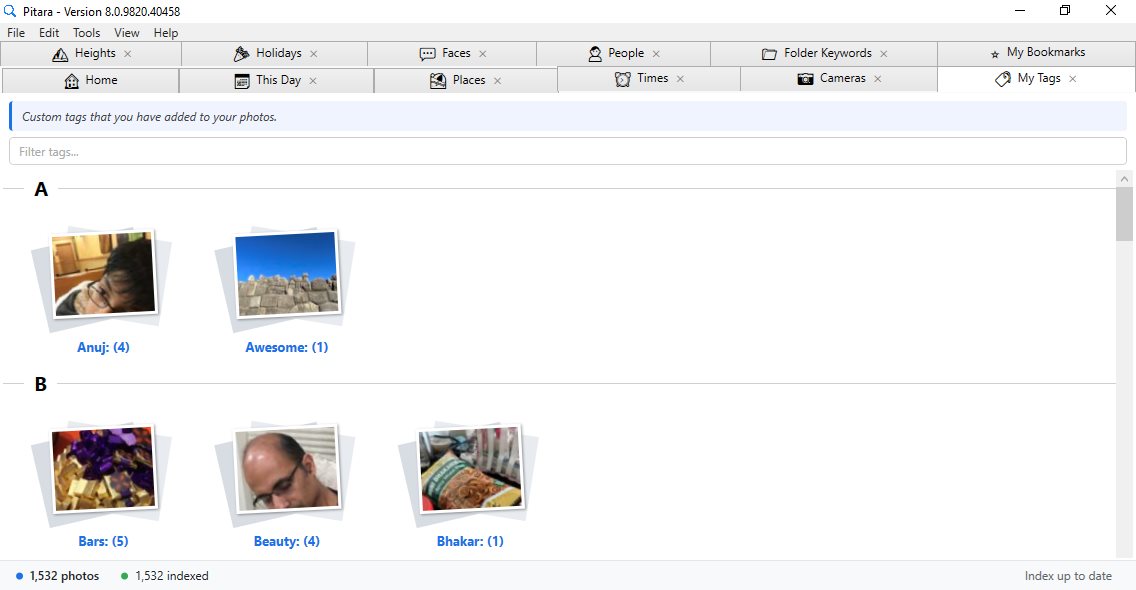
| My Tags | All custom tags you've added |
| Heights | Photos organized by altitude range ("Under 2,000 ft", "5,000–6,000 ft" and up), then by city at each elevation |
| Holidays | Festival and holiday albums for the countries you pick, from 7 countries |
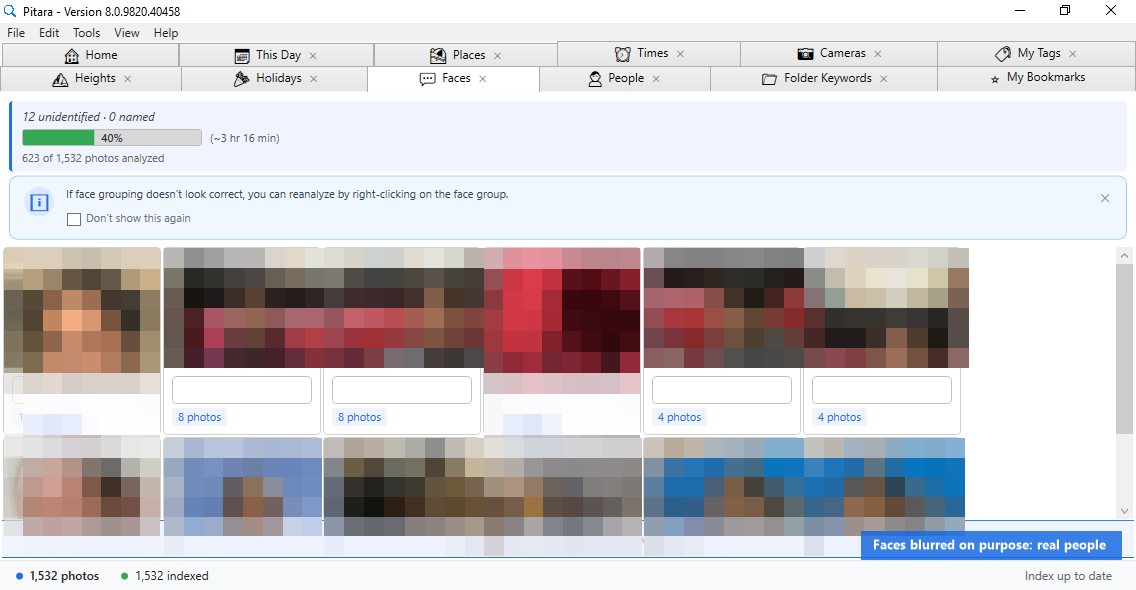
| Faces | Face clusters detected automatically by on-device AI |
| People | Named people. Name a face cluster once and search by that name forever |
| Folder Keywords | Keywords derived from your existing folder names on disk |
| My Bookmarks | Saved favorite searches, always visible, with export and import |
People and faces
Pitara detects and groups faces entirely on your device. No cloud, no GPU, no account required.
- Automatically detects faces across your entire library in the background, iPhone HEIC photos included
- Smart clustering groups the same person across different ages, lighting conditions, and expressions
- Click a face to see every photo of that person in a strip below, with only their face boxed in a thin green line in each one, so in a group photo you can see exactly who you're naming
- Name a group once and those photos are immediately searchable by that person's name, even while indexing is still running
- Names are kept in Pitara's index, not written into your photo files, and survive updates and re-indexing of edited photos
- On restart, already-analyzed photos are skipped. A 150K+ library picks up in seconds
- A group that looks wrong can be analyzed again: right-click it > Re Analyze
- Face detection pauses automatically when the Faces tab is closed, freeing up CPU
Tags, favorites, export and more
- Custom tags: Add or remove tags on any number of photos at once. Use Edit > Add Tags (Ctrl+T), Edit > Remove Tags (Ctrl+Shift+T), or the right-click menu. Select one photo or many and the side panel lists all their tags, including the tags Pitara keeps for HEIC and read-only photos, even when the drive is disconnected. A tag is letters and numbers in any language, and tags are separated by spaces: a comma, semicolon, quote or other symbol is not changed quietly, Pitara says what to remove. A dash or apostrophe inside a word is fine ("new-york", "mom's")
- Export: File > Export > Selected Photos (Ctrl+E), or Top 50 for the first 50 results. Each copy is scaled down for sharing, with a thin frame and a small GetPitara.com signature. Exports never carry the GPS position or camera details. If the export folder's drive is disconnected or the folder is read-only, Pitara says so before starting; a full disk stops the export and tells you how many photos were saved; a photo that can't be exported is named, and no half-written photos are left behind
- Bookmarks: Save any search query, edit its name, delete it, or export and import a full bookmark list from the My Bookmarks tab
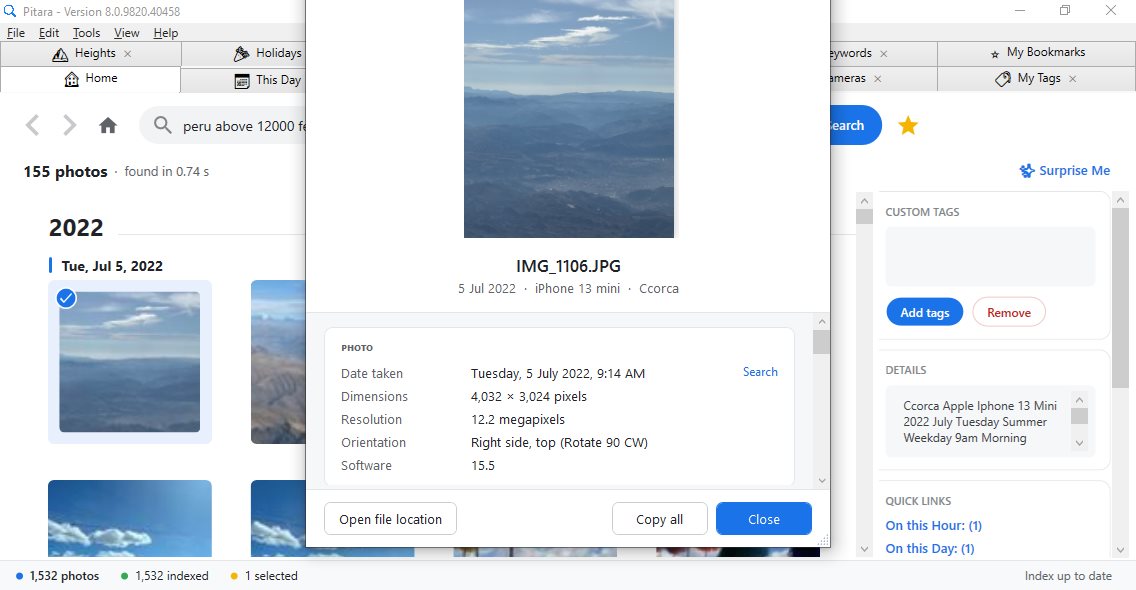
- Properties: Press Alt+Enter (or right-click > Properties) for an Explorer-style details window: a large preview, date taken, dimensions, camera, lens, focal length (with 35 mm equivalent), aperture, shutter speed, ISO, flash, place and GPS position, height above sea level (shown even when the drive is disconnected), your tags, people, and file details. Click "Search" next to a value to find every photo that shares it: the same day, camera, ISO, aperture, place (every photo from Sammamish, for example) or height. Copy everything with one click, or jump to the file in Explorer
- Favorites: Click the star on a photo, or right-click > Add to Favorites; a yellow star marks them on the tile. Remove from Favorites is in the right-click and Edit menus
- Copy and open: Right-click > Copy File Path (Ctrl+Shift+C) puts the photo's full path on the clipboard; Open File Location (Ctrl+Shift+O) opens its folder in Explorer
- Delete: Select photos (Ctrl+click, Shift+click, Ctrl+A) and press Del: after you confirm, they go to the Recycle Bin, so nothing is lost by mistake
- Quick links: Select a photo to see "On this hour" and "On this day" links that find the photos taken around it
- Navigation: Back and Forward buttons give you a full search history to step through
Drives, updates and changes on disk
Pitara stores its index separately from the physical drive. Index your photos once from an external hard drive, USB, or network share, and Pitara continues searching and showing thumbnails even after the drive is disconnected. Take your laptop anywhere and your entire photo archive comes with you.
- If a drive reconnects with a different drive letter, Pitara remaps automatically
- On startup, only new or modified photos are processed; existing photos are skipped. A photo edited in another app (rotated, cropped, retagged) is picked up and refreshed automatically
- Keeps up with Explorer. While Pitara runs, photos and folders you add, rename, move, edit or delete in Explorer show up that way in search and the tabs within seconds. No rescan, no restart
- Thumbnails are pre-generated and stored in the index, so the photo grid loads instantly
- Reopening Pitara shows your Memories first, before the other tabs load, so even a library of 170,000 photos opens straight onto its home page
- Pitara opens right away even on a slow internet connection: the update check runs in the background, and the first-run progress shows as soon as your folders are picked
- Updates never make you wait. When a new version adds search features, Pitara upgrades its index quietly in the background while you keep searching. No re-index, no lost thumbnails, no message boxes; the status bar just shows "Upgrading index" for a moment
Photo types
| Format | Indexed | Thumbnails | Custom Tags |
|---|---|---|---|
| JPEG / JPG | Yes | Yes | Yes, saved in the photo file |
| HEIC / HEIF (iPhone) | Yes | Yes | Yes, kept by Pitara* |
| PNG, BMP, GIF, TIFF | Yes | Yes | Yes, kept by Pitara* |
| WebP, AVIF | Yes | Yes | Yes, kept by Pitara* |
| Camera RAW (Canon CR2/CR3, Nikon NEF, Sony ARW, DNG, Olympus ORF, Panasonic RW2, Fujifilm RAF, Pentax PEF and more) | Yes** | Yes | Yes, kept by Pitara* |
*Tags can't be written safely into these files, so Pitara keeps them itself, in its index with a backup file next to it. They search, show in My Tags and survive re-indexing just like JPEG tags. The same applies to a JPEG on a read-only drive or share.
**A RAW file is shown from the full-size preview the camera stores inside it, so it indexes about as fast as a JPEG. When the camera saved a JPEG of the same name next to it (IMG_1234.CR2 and IMG_1234.JPG), only the JPEG is shown, so each shot appears once. Delete that JPEG and the RAW file shows up within seconds.
Privacy and setup
- 100% on-device. No account, no upload, no cloud dependency, zero telemetry
- Your photos never leave your machine. Pitara only reads the metadata already embedded in your files. Place names are worked out on your PC; only the GPS position of a spot more than 20 km from any town is sent to Pitara's location service to name it. Indexed while offline? Those spots are named once you're back online
- Works with your existing folders. No reorganization needed. Add your photo folders, and any folders to skip, in File > Photo Folders and indexing starts immediately. Choose where exports go in Tools > Options; the export folder can even sit inside a photo folder (after a warning), and Pitara doesn't index it, so exported copies never show up twice
- Add a whole drive safely. Adding C:\ or your user folder doesn't fill Pitara with app icons and cached web images: Windows, Program Files, ProgramData and AppData are skipped, unless you pick a folder inside one of them. Images smaller than 200 pixels (icons, emoji, web graphics) are skipped too
- Gentle on your PC. Indexing and face detection step aside while you search, click or scroll, and indexing pauses if the index drive is nearly full
- Help when something goes wrong. Help > View Logs opens Pitara's log file (on your PC); Tools > Options can turn on detailed debug logs while you report a problem. Help > User Guide (F1) opens this guide
- Portable mode. Run entirely from a USB drive or network share with no installer and no registry entries. No traces left on the host computer
- Open community. Festival data and query documentation are open source at github.com/Pitara-Photo-Search/community
System requirements
| OS | Windows 10 or Windows 11 (64-bit) |
| RAM | 4 GB minimum, 8 GB recommended for large libraries |
| Disk | The index uses roughly 5-10% of your photo library size |
| GPU | Not required |
| Internet | Not required (used only to name GPS spots far from any town, and to check for updates) |
| Account | Not required |
| Price | Free |
Need help?
See the FAQ, or contact us with a question, a bug or an idea.